

Introduction
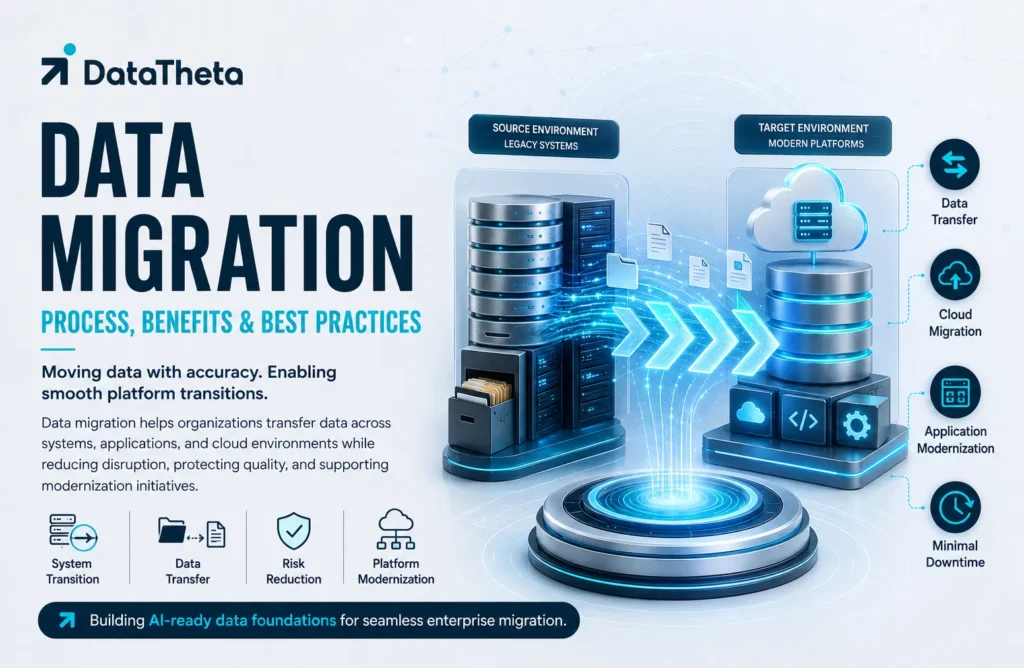
Data migration is the process of moving data from one system, application, storage environment, or format to another. Organisations undertake migration when modernising legacy platforms, adopting cloud services, consolidating systems, implementing new applications, or improving data accessibility. A successful migration requires more than transferring files; it involves discovery, cleansing, mapping, validation, security, testing, and business coordination. Poor planning can cause data loss, duplication, downtime, compliance risks, and operational disruption. This article explains what data migration is, how the process works, its major types, common use cases, key benefits, challenges, best practices, and future importance for organisations managing increasingly complex and distributed data environments across industries and business functions worldwide today.
1. What Is Data Migration?
Data migration is the structured process of transferring data from an existing source environment to a new destination. The source and destination may involve databases, applications, storage systems, cloud platforms, data warehouses, or entire technology environments.
Migration may also require changing the structure, format, quality, or organisation of the information so it can function correctly in the target system. Data must therefore be analysed, cleaned, mapped, transformed, transferred, and validated before the project is considered complete.
Organisations commonly migrate data when replacing legacy applications, moving infrastructure to the cloud, implementing an enterprise resource planning system, consolidating platforms after a merger, or creating a modern analytical environment.
1.1) Key Characteristics of Data Migration
- Transfers information between systems, applications, or platforms.
- Changes data formats or structures when necessary.
- Preserves accuracy, completeness, and business meaning.
- Requires source-to-target mapping and transformation rules.
- Includes validation before and after migration.
- Protects sensitive data throughout the transfer.
- Minimises downtime and operational disruption.
- Maintains documentation, ownership, and auditability.
2. Why Is Data Migration Important?
Business systems change as organisations grow, introduce new services, adopt cloud platforms, or replace outdated technology. Information stored in older environments must remain accessible and usable after these changes.
Data migration ensures that critical customer, financial, product, employee, supplier, and operational records are transferred into the new environment. Without a controlled migration process, organisations may lose historical information, create duplicate records, interrupt business activities, or introduce inaccurate data into important applications.
Migration also provides an opportunity to improve quality by removing obsolete records, correcting inconsistencies, standardising formats, and establishing clearer ownership.
2.1) Business Problems Addressed by Data Migration
- Legacy systems no longer meet business requirements.
- Information is distributed across disconnected platforms.
- Older infrastructure creates security and maintenance risks.
- Duplicate records produce inconsistent business views.
- New applications require historical information.
- Cloud programmes depend on transferring on-premises data.
- Mergers create overlapping systems and datasets.
- Outdated formats prevent efficient reporting and analysis.
- Incomplete records reduce confidence in business decisions.
- Regulatory requirements demand secure retention and traceability.
3. Major Types of Data Migration
Data migration projects differ according to the source, destination, purpose, and scale of the transfer.
3.1) Storage Migration
Storage migration moves information from one storage environment to another. It may involve transferring data from physical servers to modern storage infrastructure, cloud object storage, or more scalable platforms.
The migration should preserve file structures, permissions, accessibility, and performance.
3.2) Database Migration
Database migration transfers information between database systems. It may involve moving to a newer version, changing database vendors, or adopting a cloud database.
Differences in schemas, data types, stored procedures, and query behaviour must be carefully managed.
3.3) Application Migration
Application migration moves an application and its related information into a new environment. It may occur when replacing customer relationship management, enterprise resource planning, human resources, or finance software.
Application-specific rules, relationships, workflows, and user permissions must remain functional after migration.
3.4) Cloud Migration
Cloud migration transfers data from on-premises systems or another cloud environment to a cloud platform.
It may involve rehosting existing workloads, modernising applications, adopting managed services, or creating cloud-native data platforms.
3.5) Data Warehouse Migration
Data warehouse migration moves historical and analytical information into a modern warehouse, lakehouse, or cloud analytics platform.
It commonly requires redesigning data models, pipelines, reports, calculations, and performance configurations.
3.6) Business Process Migration
Business process migration transfers applications, information, workflows, and operating procedures together.
It is often required during mergers, restructuring, platform consolidation, or major digital transformation programmes.
4. What Is the Data Migration Process?
A successful data migration follows a controlled sequence of assessment, planning, preparation, transfer, validation, and monitoring.
4.1) Assess the Existing Data Environment
The first step is identifying source systems, data owners, formats, volumes, dependencies, quality issues, security classifications, and retention requirements.
Teams should determine which information must be migrated, archived, corrected, consolidated, or removed.
4.2) Define Migration Objectives and Scope
The organisation should define what the migration must achieve, which systems are included, what downtime is acceptable, and how success will be measured.
Important scope decisions include:
- Data domains included in the project
- Historical periods to be transferred
- Systems and reports affected
- Quality expectations
- Security and compliance requirements
- Migration deadlines
- Business continuity needs
4.3) Profile and Clean the Data
Data profiling examines completeness, accuracy, uniqueness, consistency, and validity. It identifies duplicate records, missing fields, outdated values, unsupported formats, and inconsistent definitions.
Cleaning the data before transfer prevents existing problems from being reproduced in the new system.
4.4) Map Source and Target Data
Data mapping defines how each source field corresponds to the target structure. It documents transformation rules, relationships, default values, validation logic, and handling of unsupported information.
Clear mapping reduces ambiguity during development and testing.
4.5) Design the Migration Strategy
Teams select a migration approach based on data volume, system complexity, operational requirements, and acceptable downtime.
A big-bang migration transfers all information during a defined window. A phased migration moves data in stages according to business function, geography, system, or data domain.
4.6) Build and Test Migration Workflows
Engineers develop pipelines, scripts, connectors, transformation rules, and reconciliation checks.
Testing should cover:
- Data completeness
- Transformation accuracy
- Performance
- Security
- Error handling
- System compatibility
- Recovery procedures
- Business process functionality
4.7) Execute and Validate the Migration
During execution, data is extracted, transformed, transferred, and loaded into the target environment.
Validation confirms that record counts, totals, relationships, permissions, and business rules remain correct. Business users should verify that the migrated information supports operational requirements.
4.8) Monitor and Decommission
After migration, teams monitor quality, system performance, user access, and operational issues.
The old system should be decommissioned only after validation, required backups, compliance reviews, and formal business approval.
5. Major Applications of Data Migration
Data migration supports technology modernisation, business expansion, platform consolidation, and analytical transformation.
5.1) Legacy System Modernisation
Organisations migrate information from outdated applications into modern platforms that offer better performance, security, scalability, and integration.
5.2) Cloud Adoption
Cloud programmes require data to be transferred securely from on-premises databases, file systems, applications, and warehouses.
Migration enables flexible infrastructure, managed services, and scalable analytics.
5.3) ERP and CRM Implementation
New enterprise resource planning and customer relationship management systems require accurate historical records for finance, customers, suppliers, products, orders, and employees.
5.4) Mergers and Acquisitions
Mergers often create duplicate applications and overlapping datasets. Migration helps consolidate information, standardise definitions, and create a unified operational environment.
5.5) Data Warehouse Modernisation
Businesses migrate analytical information from legacy warehouses into cloud platforms or lakehouses to improve performance, scalability, reporting, and artificial intelligence readiness.
5.6) Data Centre Consolidation
Organisations may transfer data while reducing the number of physical data centres, servers, or storage platforms.
Consolidation can lower costs and simplify infrastructure management.
5.7) Regulatory and Compliance Programmes
Migration may be required to improve data residency, retention, security, auditability, or privacy compliance.
Sensitive information must be classified and protected throughout the process.
6. Top 7 Benefits of Data Migration
A well-managed migration creates operational, financial, and strategic value.
6.1) Improved System Performance
Modern platforms can process, store, and retrieve information more efficiently. Faster performance improves user experience, reporting, and operational workflows.
6.2) Better Data Quality
Migration provides an opportunity to remove duplicates, correct invalid values, standardise formats, and improve incomplete records before they enter the target system.
6.3) Reduced Technology Costs
Replacing outdated infrastructure can reduce maintenance, licensing, storage, and support expenses.
Cloud platforms may also allow organisations to align resources with actual usage.
6.4) Greater Scalability
Modern systems can support increasing data volumes, users, applications, and analytical workloads without frequent infrastructure replacement.
6.5) Improved Security and Compliance
New platforms often provide stronger encryption, access controls, logging, backup, and compliance capabilities.
Migration also allows organisations to remove unsupported and vulnerable systems.
6.6) Better Data Accessibility
Consolidated and standardised information is easier for authorised employees, applications, dashboards, and analytical systems to access.
6.7) Stronger Analytics and AI Readiness
Migrated data can support business intelligence, advanced analytics, machine learning, and artificial intelligence when it is accurate, accessible, and well governed.
7. Common Data Migration Challenges
Migration projects can create significant business risk when data complexity and operational dependencies are underestimated.
7.1) Poor Data Quality
Incomplete, duplicated, outdated, or inconsistent information can cause errors in the target system.
Quality issues should be resolved before or during the migration.
7.2) Inaccurate Data Mapping
Incorrect source-to-target mapping can change business meaning, lose relationships, or place values in the wrong fields.
7.3) System Compatibility Issues
Different platforms may use incompatible data types, schemas, encoding methods, or business rules.
Transformation and testing are required to manage these differences.
7.4) Operational Downtime
Large transfers may interrupt business systems or reduce performance. Migration windows, phased execution, and recovery planning help limit disruption.
7.5) Security and Privacy Risks
Sensitive information may be exposed during extraction, transfer, temporary storage, or testing.
Encryption, masking, access controls, and secure environments are essential.
7.6) Limited Business Involvement
Technical teams may not understand the full meaning or usage of data. Business owners must validate definitions, mappings, priorities, and final results.
7.7) Uncontrolled Scope Expansion
New systems, data domains, and quality issues may be added during the project. Strong change control is required to protect timelines and budgets.
8. Data Migration Best Practices
Effective practices improve accuracy, reduce disruption, and strengthen confidence in the new environment.
8.1) Establish Clear Data Ownership
Assign owners who can approve definitions, quality rules, access requirements, and migration decisions.
8.2) Profile Data Early
Assess data volume, quality, structure, duplication, and dependencies before finalising timelines or architecture.
8.3) Migrate Only Necessary Information
Avoid transferring obsolete, duplicated, unsupported, or legally unnecessary records.
Archiving or deleting low-value information reduces complexity and cost.
8.4) Automate Validation
Use automated checks to compare record counts, totals, relationships, formats, and quality measures between source and target systems.
8.5) Protect Data Throughout the Process
Apply encryption, masking, secure credentials, least-privilege access, and audit logging during extraction, transfer, testing, and loading.
8.6) Test with Realistic Data Volumes
Small tests may not reveal performance, timing, storage, or scalability issues. Testing should reflect expected production conditions.
8.7) Prepare Rollback and Recovery Plans
Define how systems and data will be restored if the migration fails or produces unacceptable results.
8.8) Involve Business Users
Business users should validate critical records, reports, calculations, workflows, and operational processes before final approval.
8.9) Maintain Detailed Documentation
Document mappings, transformations, exceptions, owners, quality rules, test results, approvals, and technical procedures.
9. Data Migration, Data Integration, and Data Conversion
These activities are related but serve different purposes.
9.1) Data Migration and Data Integration
Data migration usually transfers information from one environment to another as part of a defined project.
Data integration continuously connects information across multiple systems so it can be shared, analysed, or synchronised.
9.2) Data Migration and Data Conversion
Data migration describes the complete transfer process, including planning, cleansing, mapping, testing, validation, and deployment.
Data conversion focuses specifically on changing information from one format, structure, or data type into another.
9.3) Relationship Between the Activities
A migration project may include both integration and conversion. Integration tools may extract information, while conversion rules prepare it for the target platform.
10. Future of Data Migration
Data migration is becoming more automated, cloud-oriented, intelligent, and governance-driven.
10.1) AI-Assisted Migration
Artificial intelligence can help identify mappings, detect anomalies, recommend transformations, classify information, and accelerate validation.
10.2) Automated Data Quality Controls
Modern tools increasingly profile, cleanse, match, and monitor information automatically throughout the migration lifecycle.
10.3) Continuous Cloud Migration
Organisations are moving from one-time transfers towards continuous synchronisation and phased cloud modernisation.
10.4) Stronger Data Governance
Ownership, lineage, metadata, privacy, and retention controls will become more closely integrated with migration platforms.
10.5) Greater Use of Reusable Migration Frameworks
Standard templates, automated pipelines, testing tools, and governance controls will help organisations complete repeated migrations more consistently.
Conclusion
Data migration transfers information between systems, applications, storage environments, and cloud platforms while preserving its accuracy, security, and business meaning. Its process includes assessment, planning, profiling, cleansing, mapping, testing, execution, validation, and monitoring. Organisations use migration for cloud adoption, legacy modernisation, ERP implementation, mergers, warehouse transformation, and regulatory programmes. Its benefits include improved performance, higher data quality, lower costs, greater scalability, stronger security, better accessibility, and increased AI readiness. However, successful migration requires clear ownership, realistic testing, business participation, automated validation, and recovery planning. Organisations that treat migration as a governed business programme rather than a basic technical transfer can reduce risk and achieve lasting value.